Provider Ordering Portal

Turn provider intent into a complete, usable laboratory order.

Connect provider, patient, test, specimen, requisition, communication, and result status in one guided ordering path.

Use your business email. Free and disposable addresses are not accepted. By continuing, you agree that Gistia may contact you about this product. Privacy policy.

Explore the product details
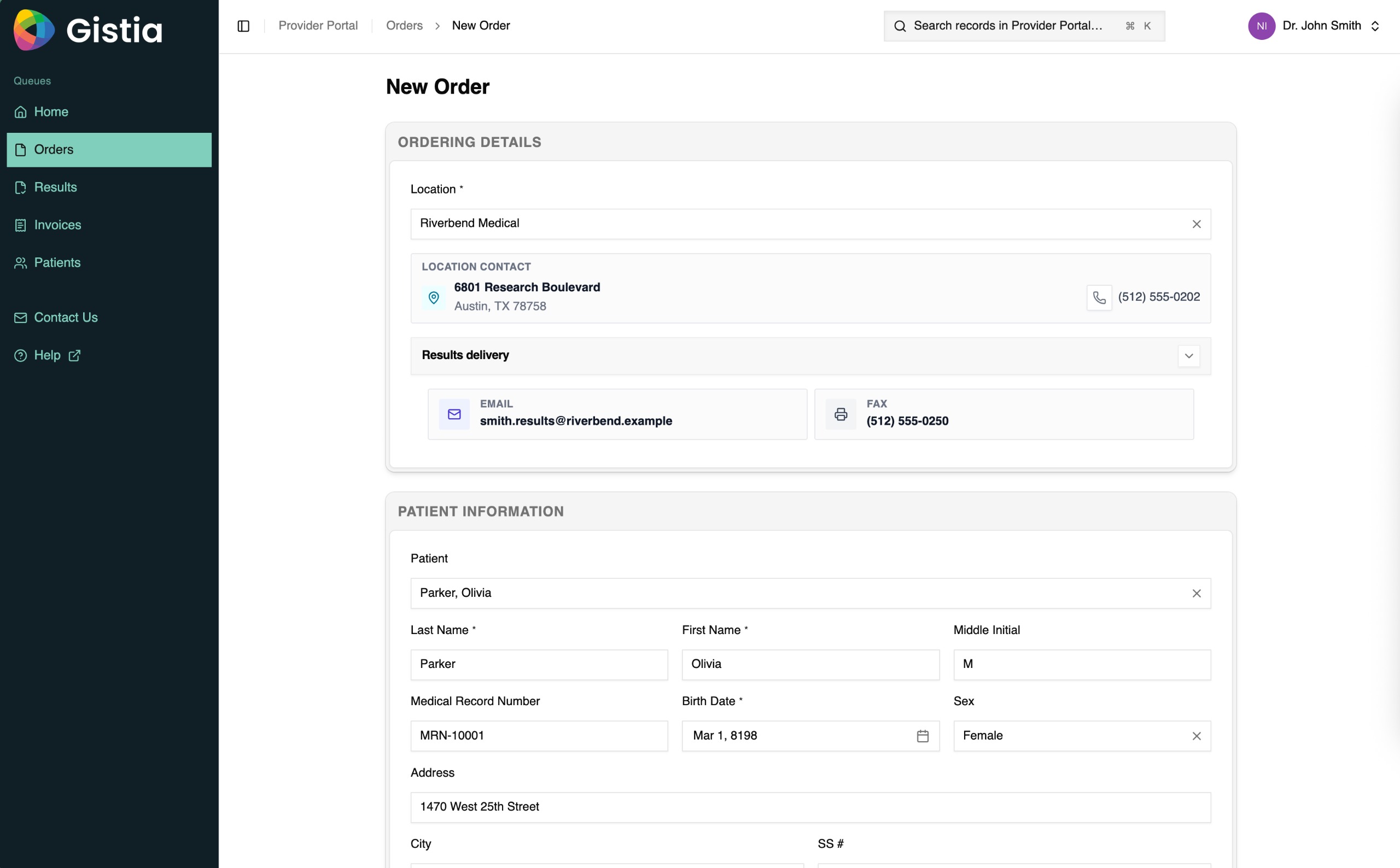
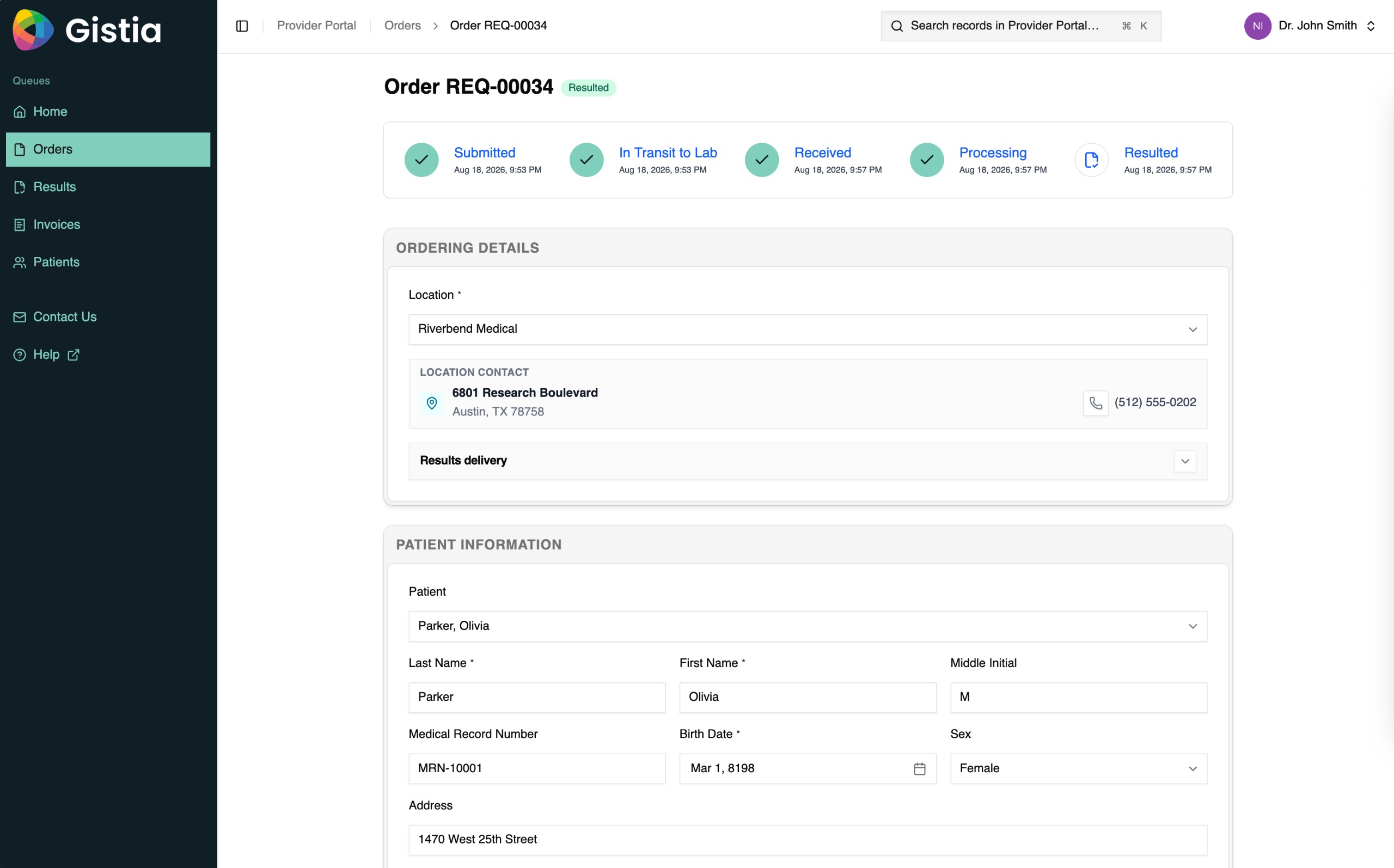
Gistia Provider Ordering Portal new-order screen with provider location and patient information.
Guided order entryBring provider, patient, and service context together.
  1. 01Choose the testGuide providers through the laboratory’s configured menu.
  2. 02Capture required contextCollect the patient, clinical, diagnosis, and specimen information the service needs.
  3. 03Prepare the submissionGenerate the requisition and keep documentation, labels, and specimen guidance connected.
  4. 04Track through resultKeep providers connected to milestones, communication, final reports, and amendments.

What you get

Make the order usable before it reaches the laboratory.

The portal shapes each submission around the selected service so providers send the clinical, patient, specimen, and documentation context the laboratory needs to begin work.

Completeness

Reduce missing information at accessioning.

Use configured questions, validations, and guidance to capture what the selected test requires before submission.

Provider experience

Give providers one place to order and follow work.

Keep catalog selection, requisitions, comments, status, final reports, and addenda in the same portal.

Laboratory control

Change the ordering path as services evolve.

Configure test menus, questions, help text, rules, and clinical guidance without rebuilding a generic form.

Product experience

See the complete provider-to-laboratory journey.

The product views show guided order entry, configurable test requirements, requisition handoff, lifecycle tracking, results, collaboration, and network-level reporting.

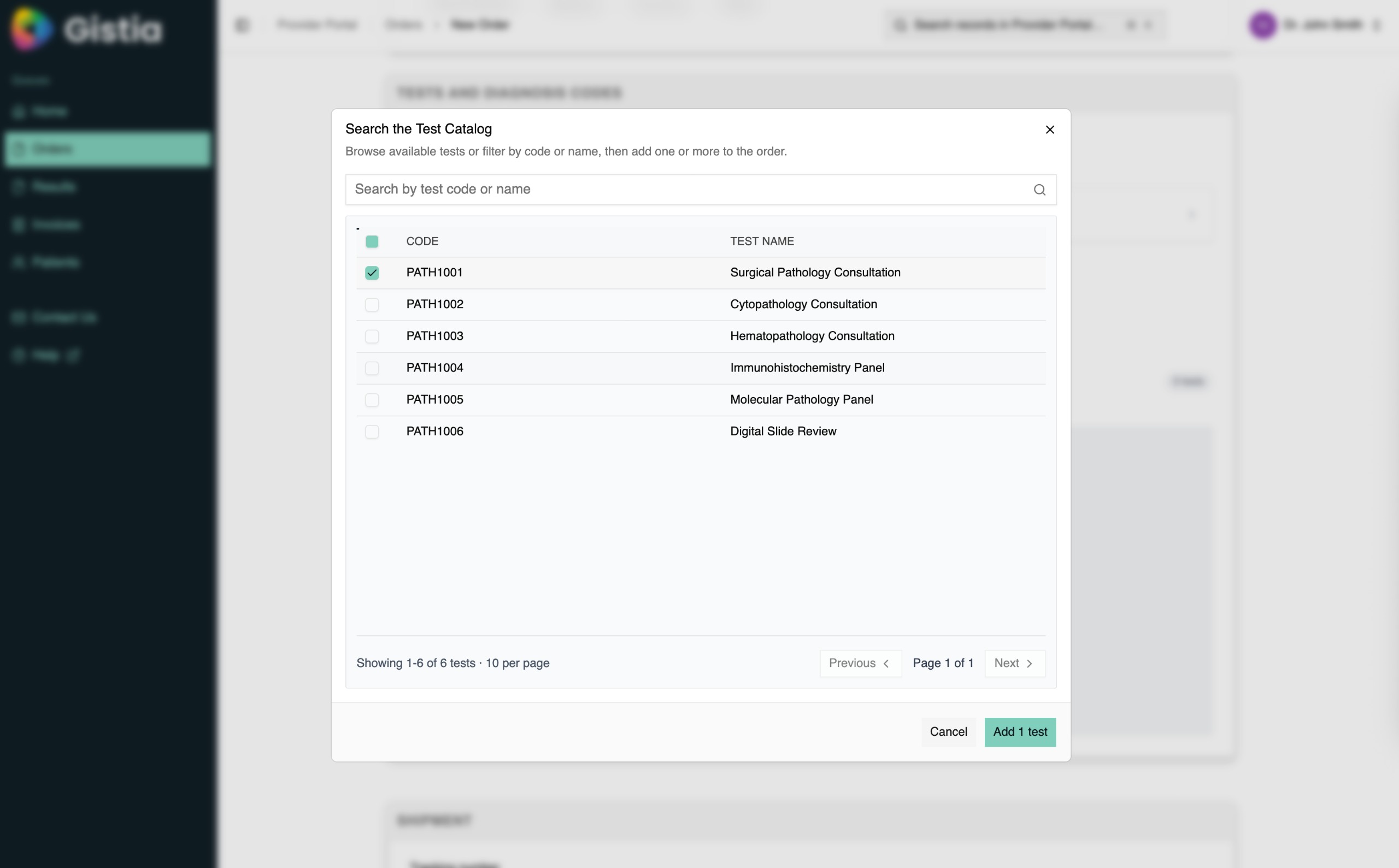
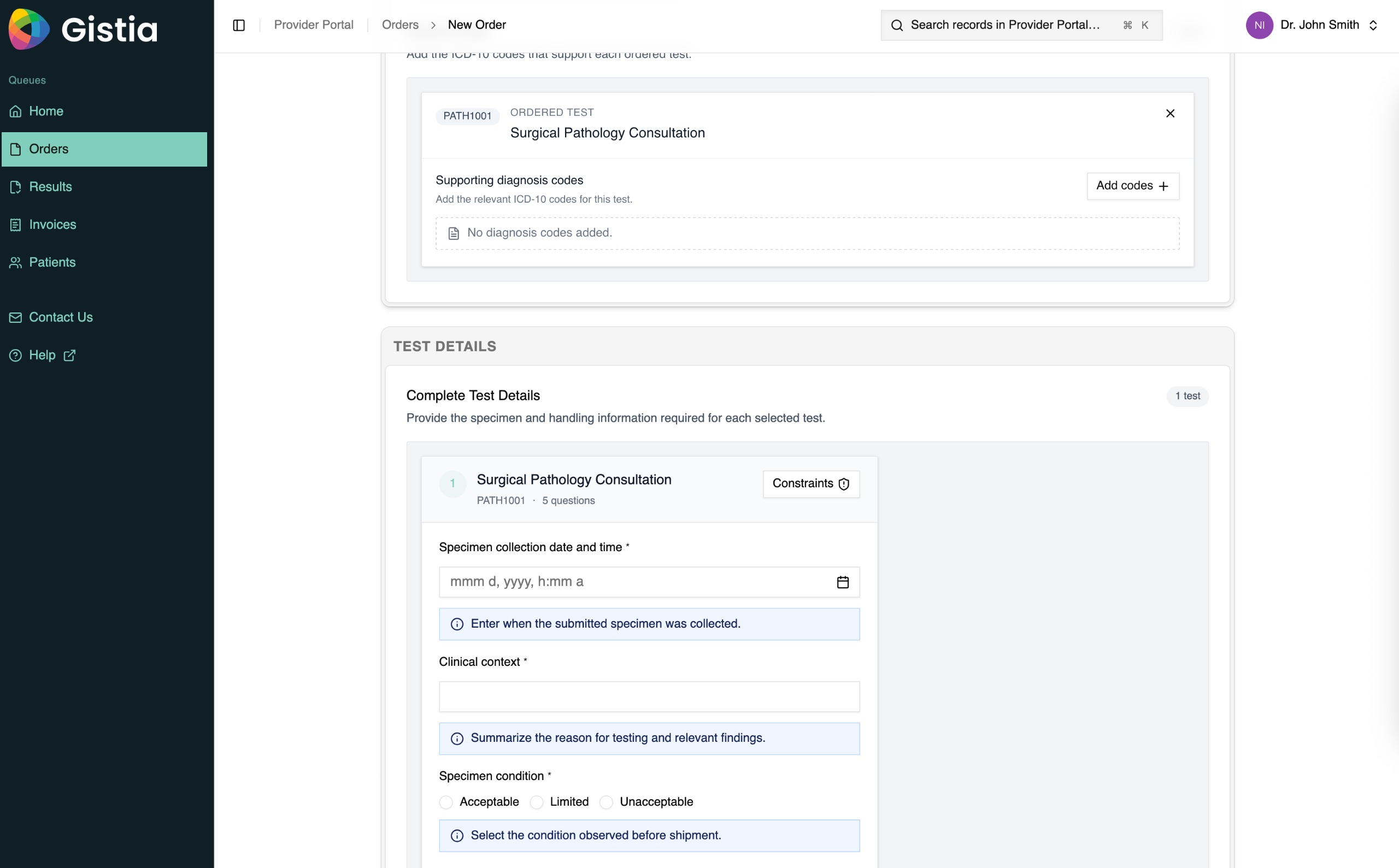
Gistia Provider Ordering Portal new-order screen with provider location and patient information.Guided order entryGistia Provider Ordering Portal test catalog with configured pathology services.Test catalogGistia Provider Ordering Portal test-details form with specimen and clinical questions.Test requirements
01Complete order entry

Shape every order around the selected laboratory service.

Bring provider location, patient identity, delivery preferences, test selection, clinical context, specimen condition, and diagnosis support into one guided record.

  • Present the configured test menu
  • Ask service-specific questions
  • Validate clinical and specimen context
Reduce incomplete orders and the follow-up required before accessioning.Take the interactive demo
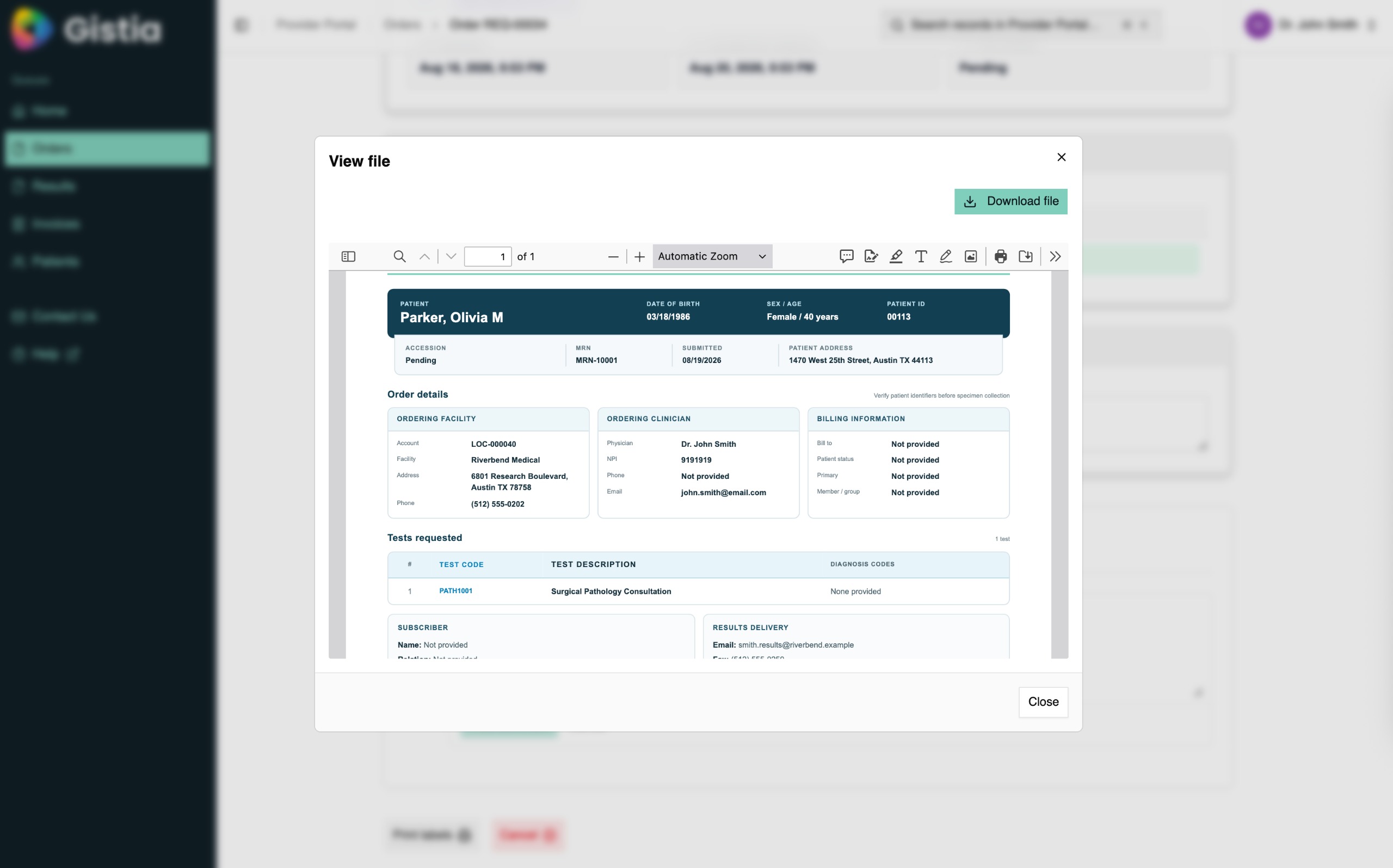
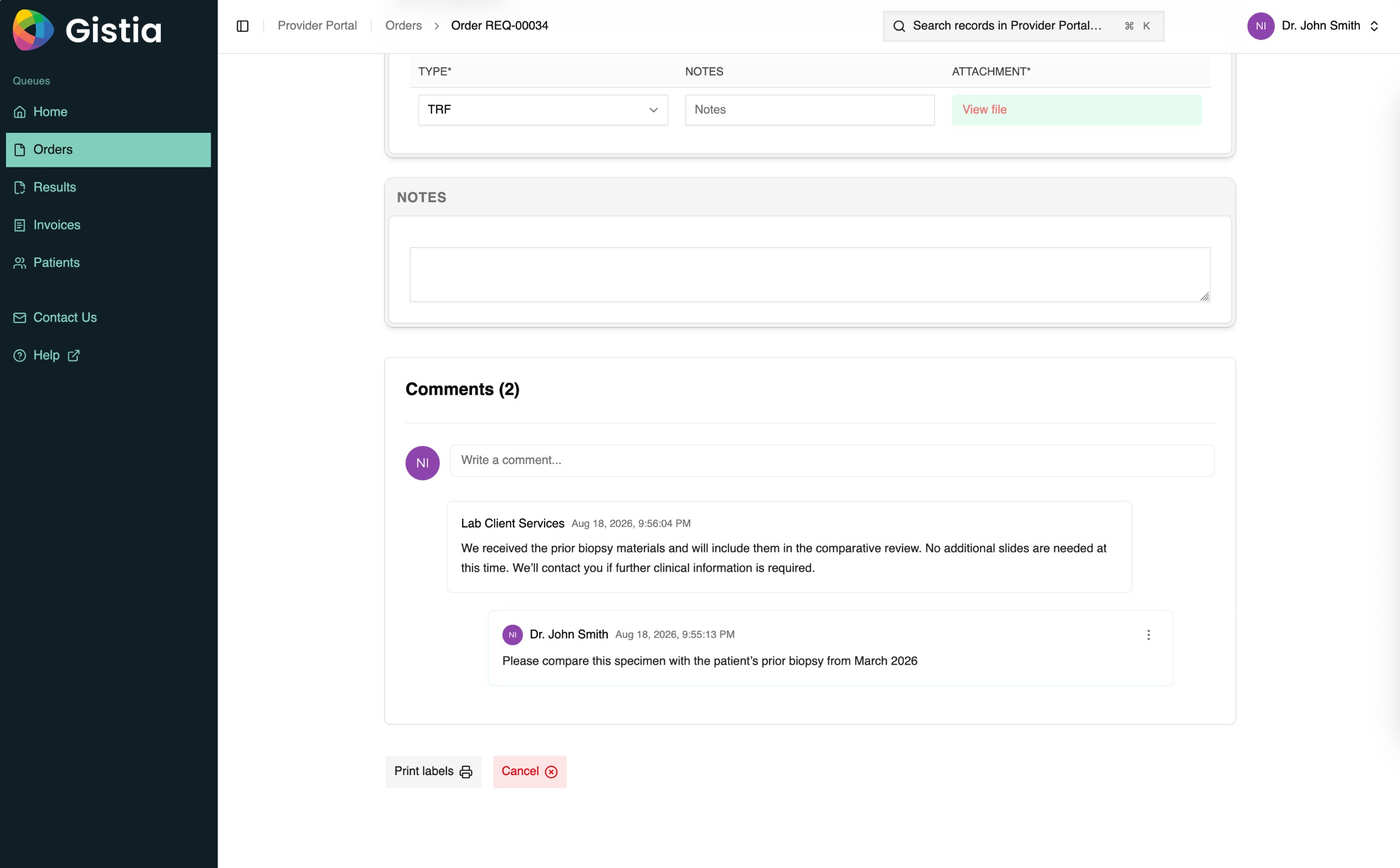
Gistia Provider Ordering Portal requisition shown in a document viewer.RequisitionGistia Provider Ordering Portal comments attached to a laboratory order.Case collaborationGistia Provider Ordering Portal order status view with lifecycle milestones.Order tracking
02Connected handoff

Keep the requisition, conversation, and status attached to the order.

Generate the requisition, preserve provider-laboratory communication, and make each downstream milestone visible from the same case.

  • Generate and download the requisition
  • Keep comments with the order
  • Track submitted, received, processing, and resulted states
Give both sides a shared record instead of disconnected calls, PDFs, and emails.Take the interactive demo
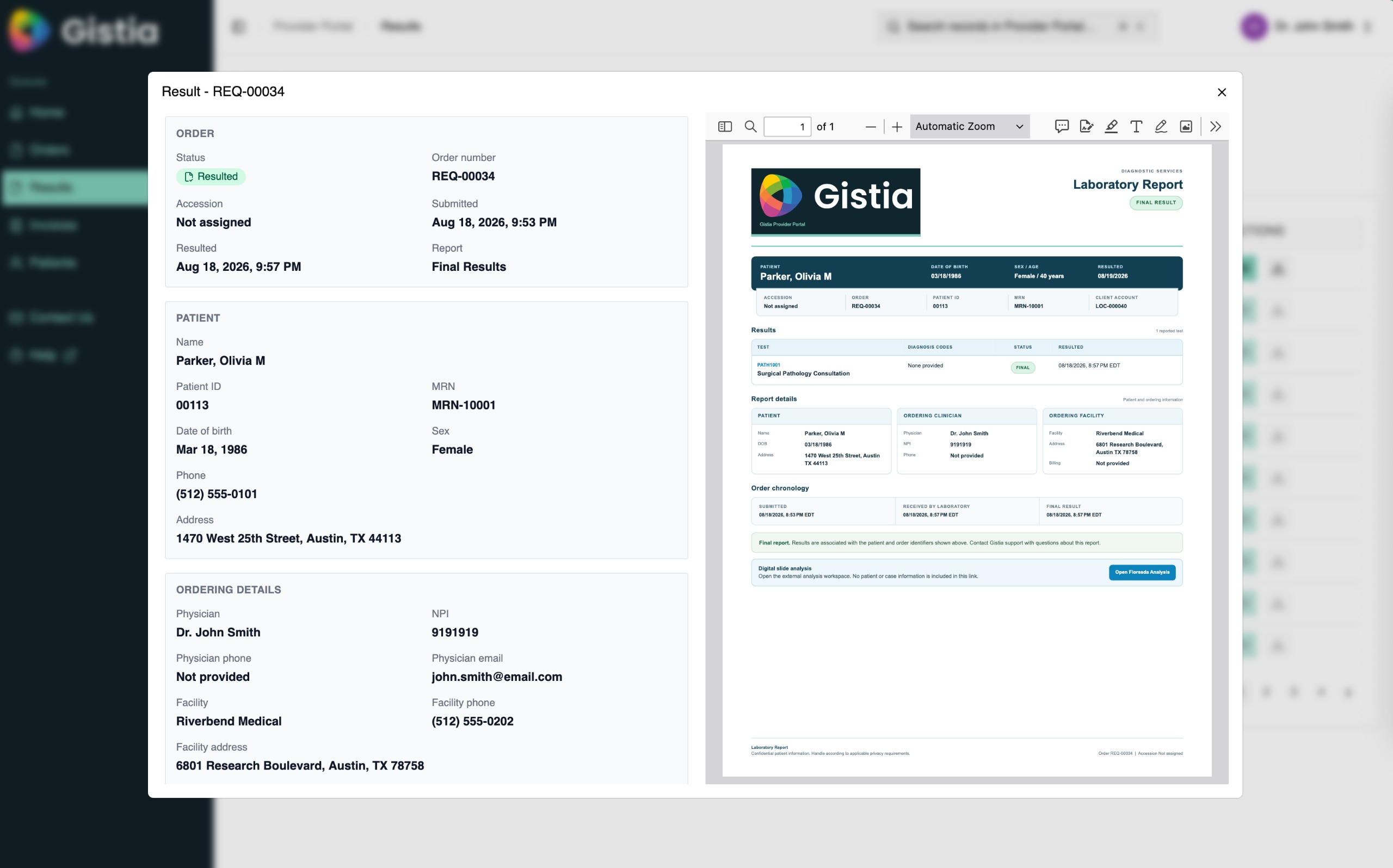
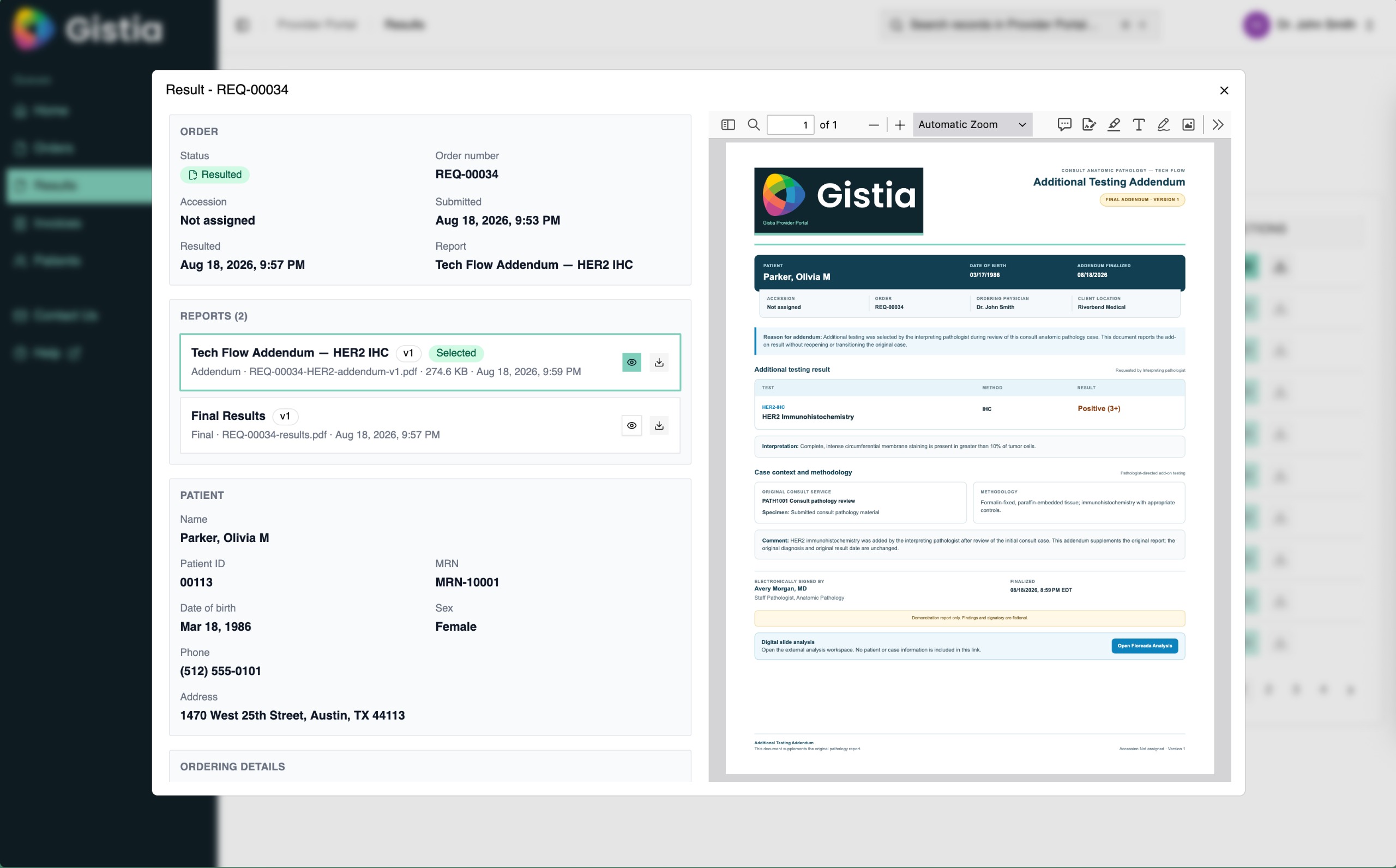
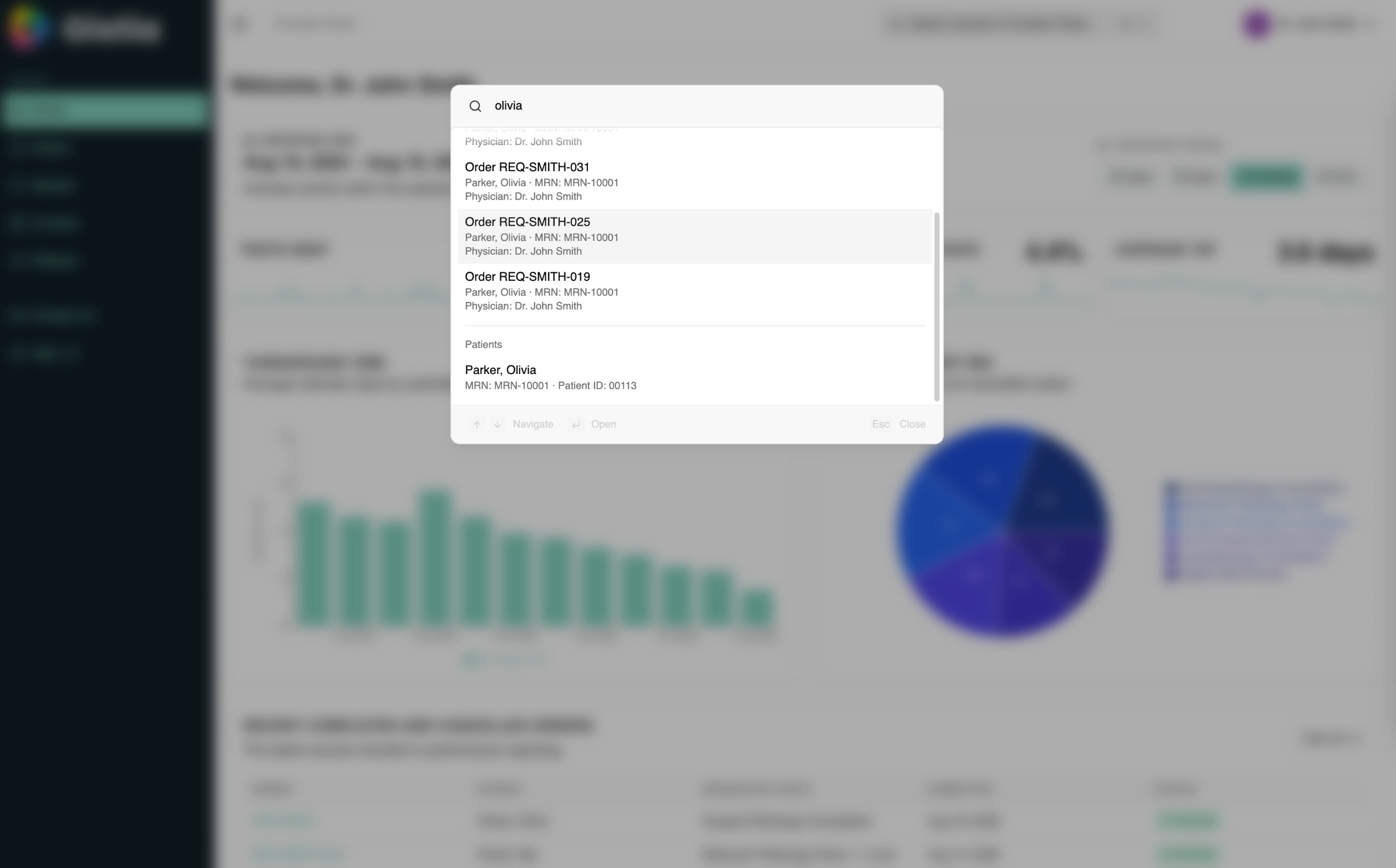
Gistia Provider Ordering Portal final laboratory result with patient and ordering details.Final resultGistia Provider Ordering Portal additional-testing addendum beside the original result.AddendumGistia Provider Ordering Portal global search with matching orders and patient records.Global search
03Result continuity

Deliver the current report without losing the case history.

Open the final result beside patient and order context, preserve addenda as new report versions, and find the right order or patient from anywhere.

  • Present the released report in context
  • Preserve amendments and additional findings
  • Search orders and patients across the portal
Keep the provider connected from initial intent through the latest authorized result.Take the interactive demo
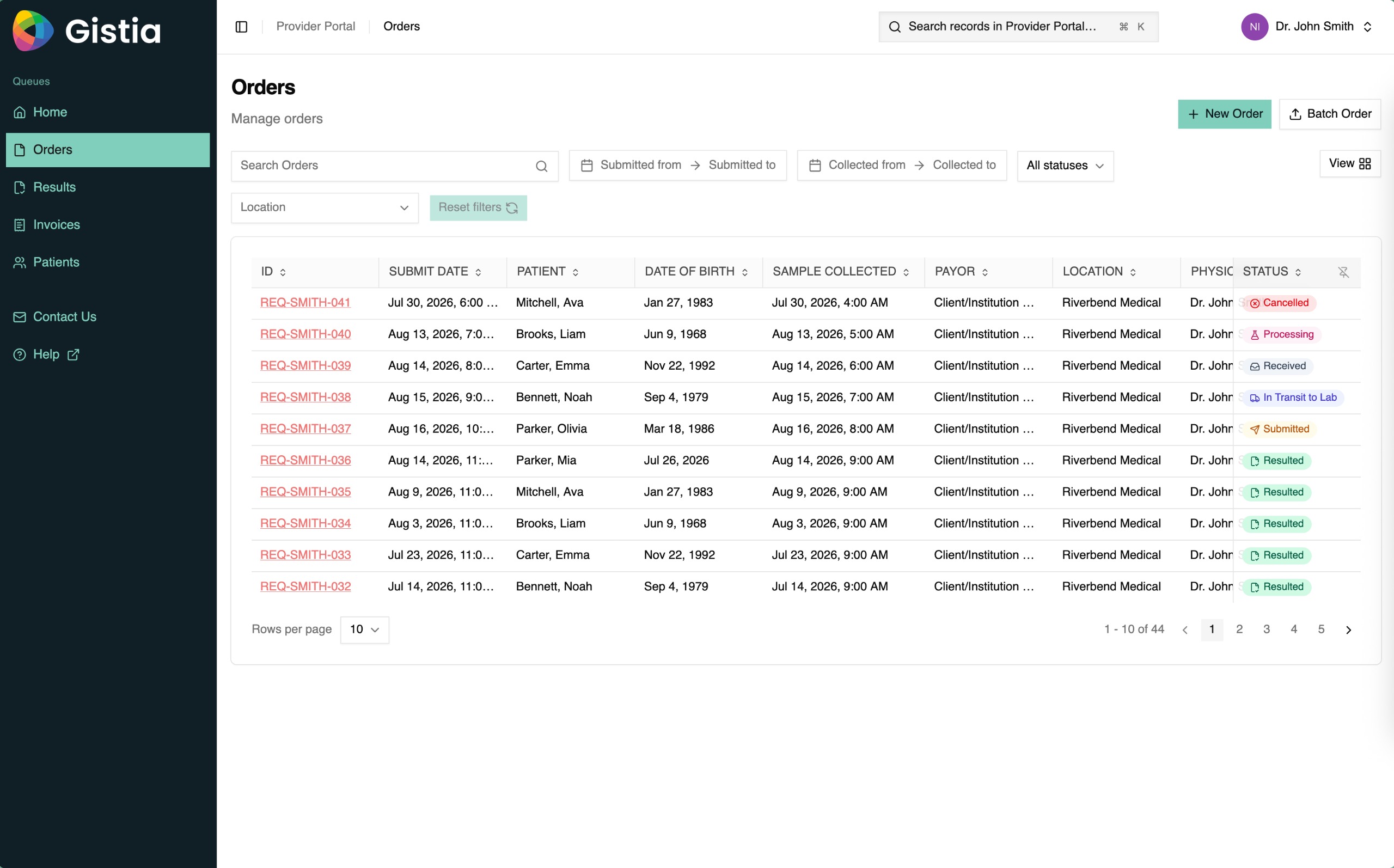
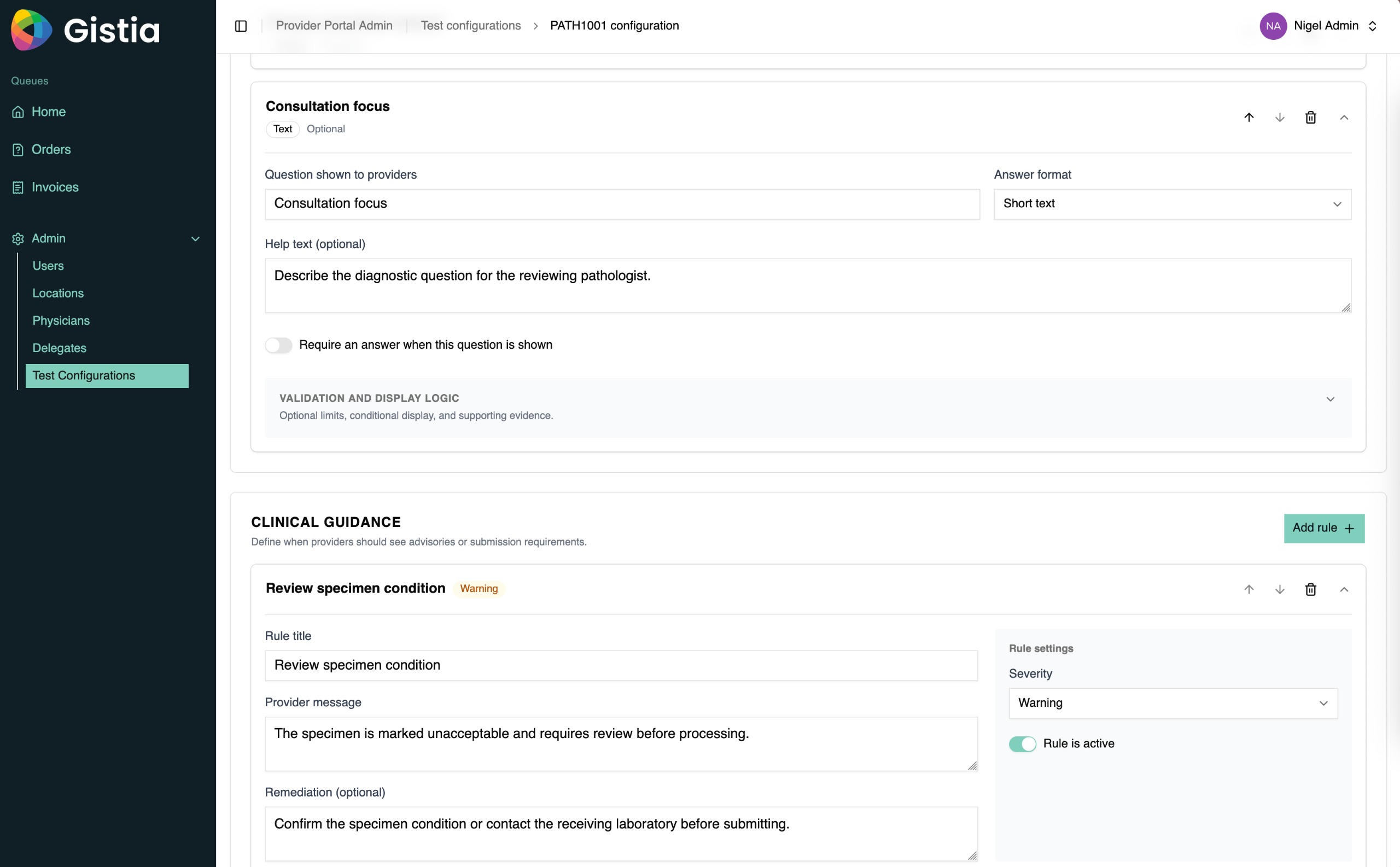
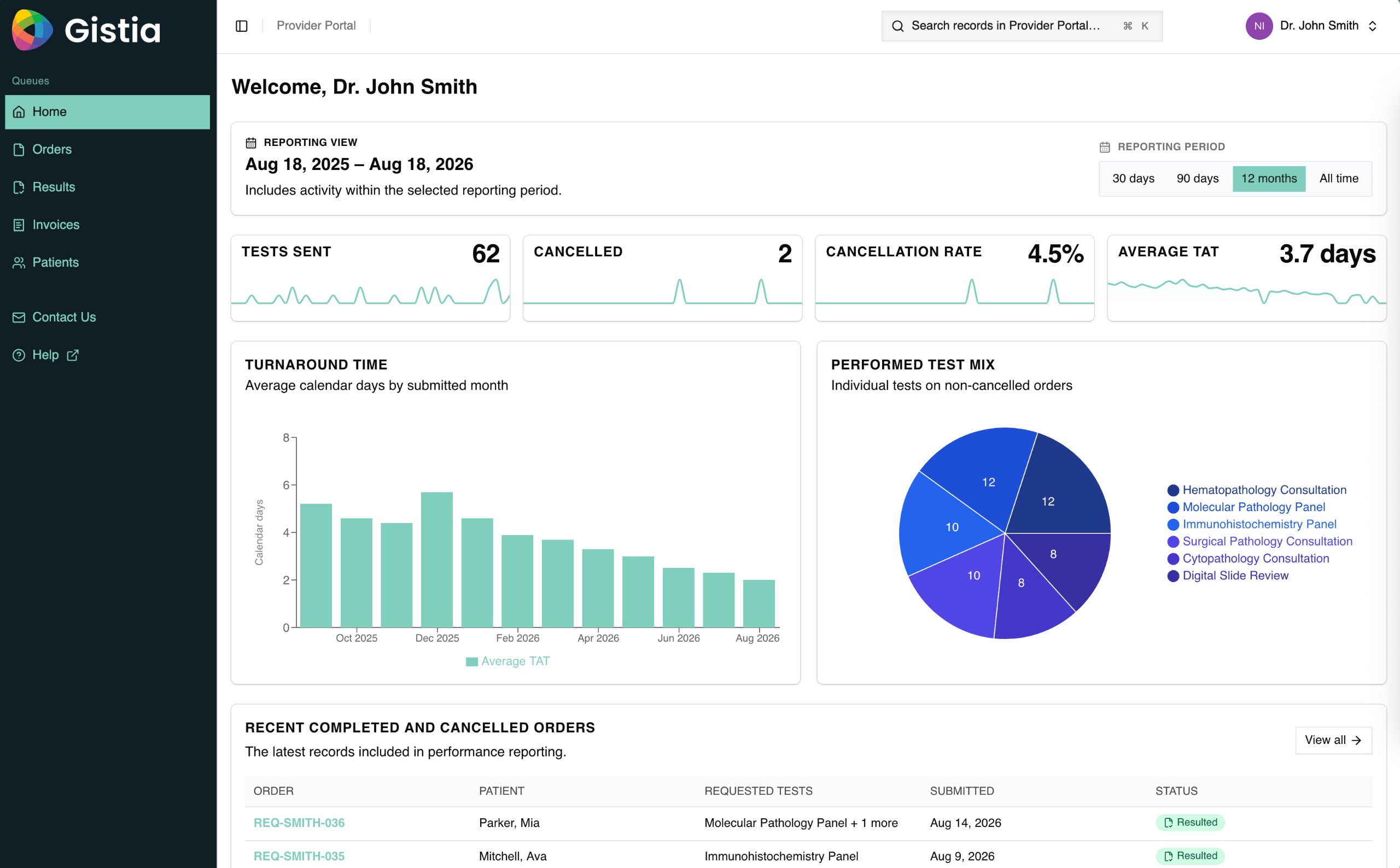
Gistia Provider Ordering Portal order queue with filters and status labels.Order queueGistia Provider Ordering Portal test configuration with questions and validation guidance.Test configurationGistia Provider Ordering Portal dashboard with order volume and turnaround metrics.Provider performance
04Network operations

Manage ordering quality across tests and provider relationships.

Review the order queue, configure test-level requirements and guidance, and monitor volume, cancellation, turnaround, and service mix.

  • Filter orders by status, date, patient, and location
  • Configure questions, validation, and clinical guidance
  • Measure provider activity and turnaround
Improve order quality and service performance using evidence from the provider network.Take the interactive demo

Product capabilities

Configure ordering around the laboratory’s services and submission rules.

Support the full provider experience from test discovery and guided entry through specimen handoff, status, result delivery, and operational reporting.

Focused capabilityProvider Ordering Portal
Search the test catalogHelp providers find and select the right laboratory test.

Illustrate a configured test catalog with clear codes, service names, and a guided selection state.

Take the interactive demo
Test catalog

Present the laboratory’s real menu.

Configure available services, codes, provider and location access, selection context, and ordering paths.

Guidance and validation

Collect what each service requires.

Use test-specific questions, help text, display logic, diagnosis support, specimen rules, and clinical guidance.

Requisition and specimen

Prepare a usable handoff.

Keep generated requisitions, attachments, labels, collection details, and specimen expectations tied to the order.

Status and results

Connect providers through completion.

Expose milestones, comments, final reports, versions, addenda, search, and provider-performance reporting.

Connected operating path

From test selection to a submission the laboratory can act on.

Keep provider intent, required context, specimen preparation, and laboratory status connected throughout the order lifecycle.

01Configure

Define the test menu

Set services, access, questions, validations, specimen requirements, and supporting documentation.

02Guide

Build the complete order

Capture the provider, patient, clinical, diagnosis, and specimen context relevant to the selected service.

03Prepare

Generate the handoff

Create requisitions and keep labels, attachments, collection instructions, and communication connected.

04Follow

Track through result

Expose order milestones, exceptions, final reports, amendments, and service performance.

Implementation and support

Configure, validate, launch, and keep improving.

One accountable team connects test configuration, provider experience, integrations, validation, launch, reliability, and controlled improvement.

01Configure

Fit ordering to the test menu.

Map services, questions, rules, specimen requirements, requisitions, labels, roles, notifications, and status.

02Validate and launch

Prove normal and exception paths.

Test representative orders, validate interfaces and outputs, prepare providers and staff, and support go-live.

03Operate and improve

Keep ordering reliable.

Monitor integrations and completion, resolve issues, govern releases, and improve the product from real order evidence.

Continuing accountabilityOperate · Improve · Extend

Keep ordering reliable, improve completeness and usability, and extend the portal when new tests or provider needs justify it.

See the shared Gistia Platform foundation

Make every provider order usable before it reaches the laboratory.

Bring your test catalog, provider roles, requisition, specimen requirements, status model, and integration landscape.